
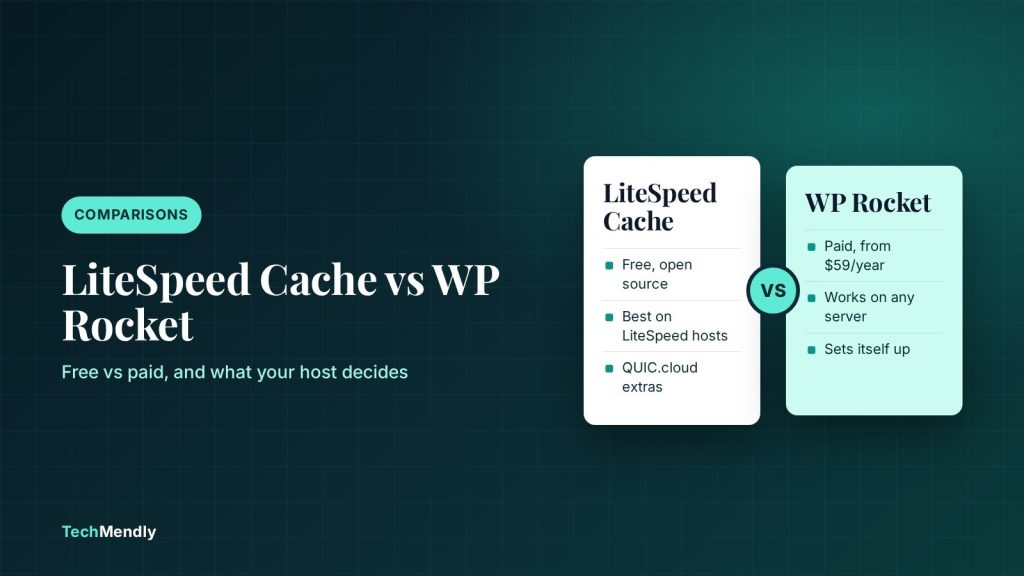
On a LiteSpeed host, install the free LiteSpeed Cache plugin. Its page cache runs at server level and costs nothing. On Apache or Nginx hosting, WP Rocket is the easier pick, because LiteSpeed Cache’s caching functions need the LSCache server component to work. WP Rocket is paid, from $59 a year for one site.
If you are comparing LiteSpeed Cache vs WP Rocket, you are really asking two questions: what does my host run, and how much setup do I want to do myself? The plugin names make them sound like direct rivals. They are not, because one of them depends heavily on your server.
Below is a plain comparison based on the vendors’ own documentation, with the caveats marked, so you can decide in a few minutes rather than testing both for a week.
This guide covers price, host requirements, setup effort, extra features, support, and how to switch safely. For a wider view of free options, see our comparison of free WordPress caching plugins.
LiteSpeed Cache vs WP Rocket at a glance
The table below sums up the differences that matter in practice. Prices and limits were checked against the official pages in November 2026.
| Area | LiteSpeed Cache | WP Rocket |
|---|---|---|
| Price | Free and open source | Paid only; from $59 a year for one site on WP Rocket’s comparison page |
| Page caching | Needs a LiteSpeed server component (LiteSpeed hosting, OpenLiteSpeed or QUIC.cloud CDN) | Works on Apache, Nginx, Microsoft IIS, LiteSpeed and OpenLiteSpeed |
| Works on any server | Optimisation features only (minify, lazy-load, object cache support) | Everything |
| Setup | Many settings; you apply a preset yourself | Applies recommended settings on activation |
| Extra services | QUIC.cloud CDN, image optimisation, critical CSS (free tiers, paid at higher usage) | RocketCDN, Delay JS, Remove Unused CSS, LazyLoad, Preload |
| Support | Free WordPress.org forum; paid hourly support available | Included with the licence |
Does your host decide the winner?
Yes, more than any feature list. LiteSpeed Cache’s own documentation says the plugin can be used without a LiteSpeed server, but then you only get the optimisation features. The documentation also says the caching functions require the LSCache server component.
The WordPress.org plugin page says the same thing in different words: automatic page caching is a LiteSpeed-exclusive feature. It needs OpenLiteSpeed, a commercial LiteSpeed product, LiteSpeed-powered hosting, or the QUIC.cloud CDN.
WP Rocket has no such limit. Its documentation lists Apache, Nginx, Microsoft IIS, LiteSpeed and OpenLiteSpeed as supported. If LiteSpeed caching is active on your server, WP Rocket purges it automatically when you clear the WP Rocket cache, so you do not need the LiteSpeed Cache plugin as well.
How to check what your host runs
- Open your site in Chrome, press F12 and go to the Network tab.
- Reload the page and click the first request, which is your HTML document.
- Under Response Headers, look for
server: LiteSpeed. If you seenginxorApache, you are not on LiteSpeed. - If your site sits behind Cloudflare, the server header may show
cloudflareinstead. In that case, ask your host or check the hosting dashboard, because the proxy hides the origin server.
Cloudflare in front of your site also changes how much caching you need at the origin. Our Cloudflare free vs Pro guide explains what the free plan caches and what it leaves to your server.
Price: free vs paid, and what free really covers
LiteSpeed Cache is free, and the plugin has more than 7 million active installs on WordPress.org. The plugin is free, but some of the services it connects to are not. QUIC.cloud’s CDN is listed as free, while image optimisation and critical CSS have paid tiers at higher usage. QUIC.cloud’s pages we opened do not publish the exact free quotas, so check your own QUIC.cloud dashboard before relying on them for a busy site.
WP Rocket’s comparison page lists the price as from $59 a year for one site, with a 14-day trial or money-back guarantee. Its pricing page currently shows discounted monthly equivalents and multi-year options, so the number you pay depends on the term you pick. Check the live pricing page before you buy, because discounts change.
WP Rocket’s comparison page also states that LiteSpeed’s paid hourly support starts at $150. That figure is WP Rocket’s claim about a competitor, so treat it as a vendor statement and confirm it with LiteSpeed if support matters to you.
Setup: preset vs apply-on-activation
This is where the two plugins feel different. WP Rocket says it applies about 80% of web performance best practices as soon as you activate it, without you enabling options. That should give you a working cache in minutes, and you can then test the heavier options (Delay JS, Remove Unused CSS) one at a time.
LiteSpeed Cache has far more settings screens. WPBeginner’s January 2026 update of its comparison describes it as needing a manually applied preset, and says the default presets are not optimal. The same article tested only one site on Hostinger, so treat its speed numbers as one data point, not a verdict.
A safe way to test either plugin
- Take a full backup, or at least a database export and a copy of
wp-content. - Activate one caching plugin only. Running two page-cache plugins together causes stale pages and odd layout bugs.
- Turn on page caching first and test the home page, a post, the cart and checkout if you run WooCommerce.
- Add one optimisation at a time (minify, combine, delay JavaScript) and test after each.
- If a page looks broken, switch the last option off and clear the cache. Our guide to clearing caches in the right order shows where old copies hide.
Features that actually matter
Both plugins cover caching and lazy-loading images. The differences show up in the details.
LiteSpeed Cache
Best for sites on LiteSpeed hosting
- Server-level page cache on LiteSpeed hosts
- Object cache support
- Free QUIC.cloud CDN and image optimisation (usage limits apply)
- Free, with no licence to renew
WP Rocket
Best for Apache or Nginx hosts and beginners
- Works on every common web server
- Sensible defaults on activation
- Delay JS execution and Remove Unused CSS built in
- Support and updates included with the licence
WP Rocket also says it is the only performance plugin allowed by WordPress.com and Pressable, and that WP Engine and Kinsta accept it. That comes from WP Rocket’s marketing page, so confirm any restriction with your own host before installing.
Speed: what the tests do and do not tell you
Search for this comparison and you will find many speed tests. Be careful with them. WPBeginner’s test gave WP Rocket a desktop PageSpeed Insights score of 99 and LiteSpeed Cache 90, while Pingdom showed LiteSpeed loading faster. The author still picked WP Rocket overall, and notes affiliate links to WP Rocket on the page.
The honest takeaway is that both can make a WordPress site fast. Your theme, page builder, images and hosting matter more than the plugin. If your admin is slow rather than the front end, a page cache will not fix it, and our WordPress admin slow guide covers the real causes.
Which one should you choose?
| Your situation | Pick | Why |
|---|---|---|
| LiteSpeed hosting, comfortable with settings | LiteSpeed Cache | Free, and the server-level cache is its main strength |
| LiteSpeed hosting, want simple setup and support | WP Rocket | Purges the server cache automatically and applies defaults |
| Apache or Nginx hosting | WP Rocket | LiteSpeed Cache cannot page-cache without the LSCache component |
| Tight budget on Apache or Nginx | A free cache plugin | See our free caching plugin comparison |
| Many client sites on mixed hosts | WP Rocket | One workflow everywhere, though the licence cost adds up |
Common mistakes
Installing LiteSpeed Cache on an Apache host and expecting a page cache is the most common one. The plugin installs and shows settings, but the caching functions need the server component. Running two cache plugins together is the second. Forgetting to exclude the cart, checkout and account pages on WooCommerce stores is the third. If your site serves stale data after a change, our REST API stale data guide shows how to bypass cache for /wp-json/.
Choose by server first. LiteSpeed host: LiteSpeed Cache is free and built for it, and WP Rocket also works if you want simpler setup and support. Apache or Nginx host: WP Rocket, or a free alternative. Never run both page caches at once.
Frequently asked questions
Is LiteSpeed Cache better than WP Rocket?
On a LiteSpeed server it is a strong free choice. On other servers it cannot provide page caching on its own, so WP Rocket is the stronger option there.
Can I use WP Rocket on a LiteSpeed server?
Yes. WP Rocket’s documentation lists LiteSpeed and OpenLiteSpeed as supported and says it purges the server cache automatically, so you do not need the LiteSpeed Cache plugin.
Do I need QUIC.cloud to use LiteSpeed Cache?
No. LiteSpeed’s documentation lists QUIC.cloud CDN as one of several server options, alongside LiteSpeed Web Server and OpenLiteSpeed. It is only needed for services like CDN, image optimisation and critical CSS.
Can I run LiteSpeed Cache and WP Rocket together?
Do not run two page-cache plugins at once. Pick one, deactivate the other, and clear all caches before testing.
Sources: WP Rocket pricing; WP Rocket docs: supported web servers; LiteSpeed Cache on WordPress.org; LiteSpeed Cache documentation; WPBeginner comparison; QUIC.cloud docs. Checked November 2026.
More in Comparisons
Turnstile vs reCAPTCHA for Contact Form 7: Which to Use?
Turnstile vs reCAPTCHA for Contact Form 7: compare setup, free limits and costs, then follow the steps to switch. See which one fits your WordPress site.
UpdraftPlus vs Duplicator: Which Free Backup Plugin Wins?
UpdraftPlus vs Duplicator: compare the free versions on scheduling, cloud storage, restores and migration, plus Pro prices, and pick the right backup plugin.
FluentSMTP vs WP Mail SMTP: Which Free Plugin Wins?
FluentSMTP vs WP Mail SMTP: see what each free plugin includes, what Pro costs, and which suits Gmail or Microsoft 365 sites best.