
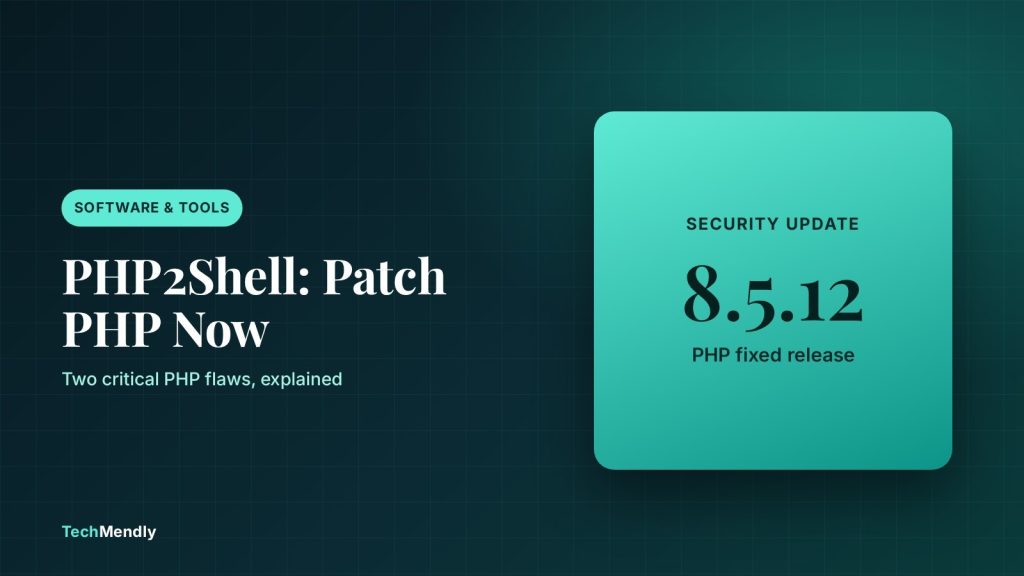
On 21 October 2026 the PHP project released fixes for two critical flaws, nicknamed PHP2Shell (CVE-2026-109618 and CVE-2026-109619). An unauthenticated attacker can use them to run code on an unpatched server. Update to PHP 8.5.12, 8.4.27, 8.3.36 or 8.2.35, or ask your host to confirm the fix is installed. Updating WordPress or a plugin does not fix it.
The PHP2Shell vulnerability is not a WordPress bug, a plugin bug or a theme bug. It sits in PHP itself, the runtime that WordPress, WooCommerce and most shared hosting accounts depend on. That is why the usual habit of clicking “Update” in the dashboard does nothing here.
The PHP project published its advisory on 21 October 2026, and public exploit attempts followed quickly. This guide covers who is affected, which versions are fixed, how to check your own site, and what to do if your host or your PHP version is not on the fixed list. If you also want the WordPress side of recent patching, see our notes on the WordPress 7.1.3 security update.
What the PHP2Shell vulnerability is
The PHP advisory describes two separate flaws, both rated 9.2 on the CVSS v4.0 scale by the PHP security team.
- CVE-2026-109618 is a remote code execution bug caused by running out of memory. PHP can be interrupted while request data is only partly set up, and the cleanup step then treats that unfinished data as valid.
- CVE-2026-109619 is a remote code execution bug caused by stale state. Memory that belongs to one request is freed but still referenced, and a later request handled by the same worker can use it.
According to the advisory, both can be exploited by an unauthenticated attacker. It says every installation serving web requests is at risk, including PHP-FPM, Apache with mod_php, php-cgi, FrankenPHP and LiteSpeed, with the highest risk on mod_php, where a request can trigger the attack before any application code runs.
Attacks are not theoretical. Tenable reports that Amazon Threat Intelligence saw an exploitation attempt on 17 October, four days before the fixes shipped, and broad exploitation on 21 October. Treat unpatched servers as exposed now.
Which PHP versions are fixed
The advisory lists four fixed releases. Older branches are a different story, and this is where many small sites will get stuck.
| PHP branch | Fixed version | What to do |
|---|---|---|
| 8.5 | 8.5.12 | Update to 8.5.12 or later |
| 8.4 | 8.4.27 | Update to 8.4.27 or later |
| 8.3 | 8.3.36 | Update to 8.3.36 or later |
| 8.2 | 8.2.35 | Update to 8.2.35 or later |
| 7.4 to 8.1 | No official release | Source backports exist; ask your host or distribution for a patched package, or move to a fixed branch |
| 5.4 to 7.3 | No fix | End of life. Move the site to a supported branch |
One catch: hosts that patch older branches by backporting often keep the old version number. Per a cPanel patching guide from Computing for Geeks, cPanel’s backported builds are ea-php81 at 8.1.34-5, ea-php80 at 8.0.30-12 and ea-php74 at 7.4.33-19, and the check is the package changelog, not the version string. So if your dashboard shows an older number, do not assume you are unpatched or patched. Ask your host.
How to check your PHP version in WordPress
You do not need server access for the first check. In WordPress, go to Tools > Site Health > Info and expand the Server section. It lists your PHP details. The Status tab will also flag an outdated PHP version under Critical issues.
- Open Tools > Site Health > Info and expand Server.
- Note the PHP version and compare it with the table above.
- If it is 8.2 to 8.5, check whether it matches or is newer than the fixed release.
- If it is 8.1 or older, plan a move to a supported branch as well as the patch.
- If the number looks old but your host says it was backported, ask them to confirm in writing.
For WooCommerce stores, do the check before the next sale rather than after. A compromised PHP process can read order data.
How to patch PHP on your hosting
How you patch depends on who controls PHP on your server.
Shared hosting or managed WordPress hosting
Your host owns the PHP packages, so the job is a support ticket. Ask whether CVE-2026-109618 and CVE-2026-109619 are patched on your plan, and ask them to restart PHP workers. Many hosts patch automatically, but do not assume it.
cPanel with MultiPHP
If you have a cPanel account, open MultiPHP Manager and make sure your domain is on a supported branch, ideally 8.3 or newer. On a VPS where you are root, the Computing for Geeks guide gives the update commands: dnf clean all && dnf upgrade 'ea-php*' on AlmaLinux, Rocky and CloudLinux 8 and later, then a restart of Apache and PHP-FPM so running workers load the fixed code. CloudLinux alt-php packages need their own update. That guide also says cPanel’s ea-php56 to ea-php73 builds received no fix, so accounts on them must be moved.
Your own server or containers
Update from your distribution or the official PHP images, then restart PHP-FPM or Apache. A package update does not help until the running workers are restarted.
After the update, check your plugins and theme still work on the new PHP branch, especially if you jump more than one version. Test on staging first when you can, and keep a backup you can restore.
If you cannot update yet: interim settings
The PHP advisory is clear that these settings reduce exposure but do not make an installation safe. Updating is the only complete fix. If you control the PHP configuration and must wait, the advisory lists:
- Set
memory_limit=-1, usingphp_admin_valuewhere possible so applications cannot override it (for CVE-2026-109618). - Set
session.upload_progress.enabled=0in php.ini or the server config (for CVE-2026-109619). - On PHP 8.5, set
fatal_error_backtraces=0. - Restart all PHP workers after any change.
Setting memory_limit=-1 removes a safety cap, so a runaway script can use all server memory. Use it only as a short stopgap and remove it after patching.
What Cloudflare’s protection covers and what it does not
If your site is proxied through Cloudflare, you got some protection automatically. Cloudflare says default WAF protection went live for free and paid plans at 3:02 UTC on 21 October, about nine hours before public disclosure. It is built on a new feature called full transaction detection, which compares a request with the origin’s response and can block a response that shows signs of a successful exploit.
Free plans get the rules through the Cloudflare Managed Free Ruleset, and no action is needed to switch them on. Paid plans get them in the Cloudflare Managed Ruleset, and Cloudflare tells those customers to confirm the deployment is in block mode. You can review matches under Security > Security Analytics > Events. If you are comparing plans, our Cloudflare Free vs Pro guide covers what else each includes.
| Question | Cloudflare WAF rules | Patching PHP |
|---|---|---|
| Fixes the flaw in PHP | No | Yes |
| Helps traffic that goes through Cloudflare | Yes | Yes |
| Helps if someone reaches your origin IP directly | No | Yes |
| Can undo something the origin already did | No | Not applicable |
Cloudflare is explicit that customers should still patch, that updating website code or plugins alone does not fix these flaws, and that it has seen attackers changing their payloads to try to get around its rules. Treat the WAF as an extra layer. If you are still setting Cloudflare up, check that your SSL mode is right so traffic is actually flowing through the proxy.
What to check after you patch
- Confirm the fix with your host, using the package changelog if your PHP number did not change.
- Reload Tools > Site Health and check there are no new critical issues.
- Look for recently changed files you did not edit, new admin users, and unfamiliar scheduled tasks.
- Check your access logs from 17 October onward for odd requests, as Tenable suggests starting the investigation from that date.
- If anything looks wrong, restore from a clean backup and change passwords and keys.
Check your PHP version today, then update or ask your host to confirm the fix. Cloudflare’s rules are a useful safety net, but they do not replace the patch.
Frequently asked questions
Does updating WordPress fix the PHP2Shell vulnerability?
No. The flaws are in the PHP runtime. Cloudflare states that updating website code or plugins alone does not fix them. You need a patched PHP, which your host usually controls.
Which PHP version should I be on?
The fixed releases are 8.5.12, 8.4.27, 8.3.36 and 8.2.35, or newer. PHP 8.1 and older no longer get official updates, so use a vendor backport or move to a supported branch.
Is my site safe if I use Cloudflare’s free plan?
You have an extra layer for traffic that passes through Cloudflare, but not a fix. Attackers who reach your origin server directly bypass it, so patch PHP as well.
How do I know if my host has patched it?
Ask them directly whether CVE-2026-109618 and CVE-2026-109619 are fixed on your plan. Backported builds can keep an old version number, so a written confirmation is more reliable than the number.
Do the interim settings make me safe?
No. The PHP advisory says they only reduce exposure. Updating is the only complete fix.
Sources: PHP security advisory, 21 October 2026; PHP 8.5.12 release page; Cloudflare: php2shell WAF protections; Cloudflare: full transaction detection; Tenable PHP2Shell FAQ; Computing for Geeks cPanel guide; WordPress Site Health docs. Checked October 2026.
More in Software & Tools
Cloudflare SSL Modes Explained: Which One to Use
Cloudflare SSL modes control the link between Cloudflare and your server. See what Flexible, Full and Full (strict) do and which one fits your host.
Shopify Automated Policies: What Changed and What to Check
Shopify can now write and update your store policies for you. See what changed on 8 October 2026, who it affects, and what to check before you switch it on.
WordPress 7.1.3 Security Update: What to Check Now
WordPress 7.1.3 fixes 7 security issues and 4 bugs. See who is affected, how to update safely, and the cache cleanup the update does not do for you.