

On 8 October 2026 Shopify added a Use automated policy option for store policies. Turn it on in Settings > Policies and Shopify fills the policy from your store settings and keeps it updated when those settings change. It saves launch time, but you still own the legal accuracy, and switching it on overwrites any wording you wrote yourself.
If you run a Shopify store, or build them for clients, Shopify automated policies change one of the most tedious parts of launch day. Instead of pasting a template into the return policy box and hoping nobody changes the shipping settings later, Shopify can now generate the text and keep it in step with your store.
The catch is that automation is not the same as correct. Below we cover what Shopify announced, who it affects, the exact steps, and the checks worth doing before you flip the switch on a live store.
Shopify automated policies: what was announced on 8 October 2026
Shopify’s changelog entry “Automatically generated policies help you launch faster” is dated 8 October 2026. It says merchants can now automate five policy types: return and refund, contact information, terms of service, shipping and legal notice. Automated policies update when store settings change and stay aligned with Shopify’s recommendations.
One wrinkle: Shopify’s Help Center page on policies lists four policies in its automation section (return and refund, terms of service, shipping and contact information) and treats the privacy policy separately, through automated privacy settings that also cover the cookie banner and the data sharing opt-out page. The wording differs between the two pages, so open Settings > Policies on your own store and see which toggles you actually get. Neither page lists plan or region requirements.
| Policy | Automation | What to know |
|---|---|---|
| Return and refund | Yes | The generated text does not automatically include your return rules, so check it against them |
| Shipping | Yes | Linked on product pages and in the cart once published |
| Terms of service | Yes | Pulls details from your store settings |
| Contact information | Yes | Updates when your store details change |
| Legal notice | Listed in the changelog | Confirm the toggle exists on your store |
| Privacy policy | Separate automated privacy settings | New stores have these on by default; existing stores can turn them on |
How to turn on a Shopify automated policy
This is the path Shopify documents. Do it one policy at a time, because activating one policy does not activate the others.
- In the Shopify admin, go to Settings > Policies.
- Under Written policies, click the policy you want, for example Return and refund policy.
- Copy your current wording into a document somewhere safe (see the warning below).
- Turn on Use automated policy.
- Click Save, then open the live policy page and read it start to finish.
Turning automation on for an existing store replaces the current content with Shopify’s template, including custom translations in languages that have a template. Turning it off keeps the text but stops updates, and turning it back on replaces your custom text again. Always back up first.
Return rules and the written policy are not the same thing
This is the most useful detail for store owners and the one most likely to bite. Shopify’s return rules page says the generated policy does not automatically include the return rules you set up. The rules, found in Settings > Policies under Return and cancellation rules, control how returns work. The written policy is only the text customers read.
So if you set a 14 day window, a restocking fee or final sale items in the rules, read the generated return and refund policy and confirm it says the same thing. If the two disagree, customers will quote the page and you will be arguing with your own store.
The return window in your rules can also affect what customers see on Shop app product pages. If you write your policy only as free text and never configure a return window, those details will not appear there.
Where customers see your policies
Once published, Shopify links policies in the checkout footer automatically. The return policy is also linked on the order review page, and the shipping policy appears on product pages and in the cart. To add them to a menu, go to Content > Menus, choose Add menu item and save the menu. Direct links follow the pattern /policies/refund-policy and /policies/shipping-policy after your domain.
If you also run a WooCommerce shop, the same habit applies there: after changing store settings, check the customer-facing result. Our guide to WooCommerce showing the wrong currency shows how a single store setting can quietly change what shoppers see.
Who should use it, and who should wait
Good fit
- New stores that have no policies yet
- Stores adding a new market or shipping zone
- Merchants who change shipping or contact settings often
Think twice
- Stores with lawyer-written policies
- Auto-renewing subscriptions, regulated or market-specific products, or child-directed sites
- Multilingual stores with hand-checked translations
Shopify’s own Help Center says the templates are informational only, are not legal advice and are not a guarantee of compliance. It recommends extra disclosures or template updates for subscriptions, regulated products and child-directed sites. It also says Shopify does not accept liability for translation errors and suggests a professional translator for legal content.
A quick review checklist after you switch it on
Five minutes now saves a support ticket later.
- Read each automated policy on the live storefront, not just in the admin.
- Compare the return policy with your return rules: window, fees, final sale items and who pays shipping.
- Check the shipping policy against your real rates, regions and handling times.
- Confirm the contact details are the ones you want public.
- If you sell in several languages, read each translated version.
- Use Get past policies to export earlier versions. Shopify keeps past versions for 2 years but says you are responsible for your own records.
Stores sitting behind a CDN should also remember that cached pages can show an old policy for a while; our Cloudflare free vs Pro guide explains what caching you get on each plan.
Use Shopify automated policies when you have no policy yet or your settings change often, and back up any custom text first. Do not treat the output as legal advice, and always check the return policy against your actual return rules.
Frequently asked questions
Where do I find Shopify automated policies?
Go to Settings > Policies, open the policy under Written policies, turn on Use automated policy and click Save.
Do automated policies update by themselves?
Yes. Shopify says they pull details from your store settings and update when those settings change. If you turn automation off, the text stays as it is and stops updating.
Will turning it on delete my existing policy?
On an existing store, activating automation replaces the current content with Shopify’s template, including custom translations in languages that have a template. Save a copy of your wording first.
Is an automated policy legally enough?
Shopify describes its templates as informational only, not legal advice and not a guarantee of compliance. You remain responsible for your policies and for following the law where you sell.
Does the generated return policy include my return rules?
No. Shopify states that the generated policy does not automatically include the return rules you set up, so compare the two yourself.
Sources: Shopify Changelog, 8 October 2026; Shopify Help Center: store policies; Shopify Help Center: return rules and return policy. Checked October 2026.
More in Software & Tools
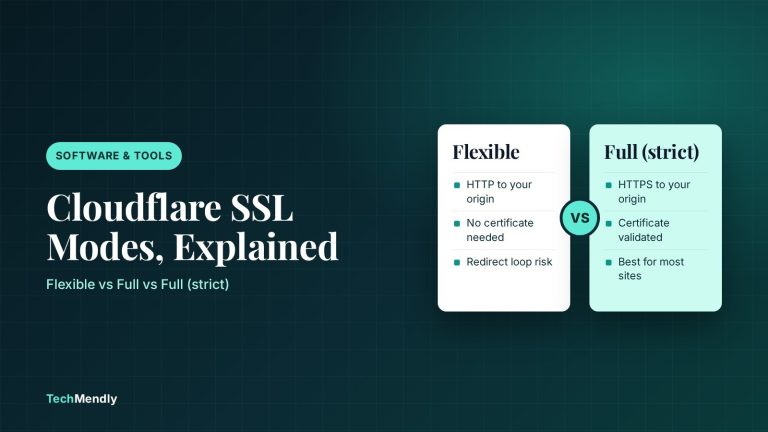
Cloudflare SSL Modes Explained: Which One to Use
Cloudflare SSL modes control the link between Cloudflare and your server. See what Flexible, Full and Full (strict) do and which one fits your host.
WordPress 7.1.3 Security Update: What to Check Now
WordPress 7.1.3 fixes 7 security issues and 4 bugs. See who is affected, how to update safely, and the cache cleanup the update does not do for you.
Google September 2026 Spam Update: What Site Owners Should Check
Google's September 2026 spam update began on 24 September. Here's how to tell if your site was hit, and the five WordPress checks worth running right now.