
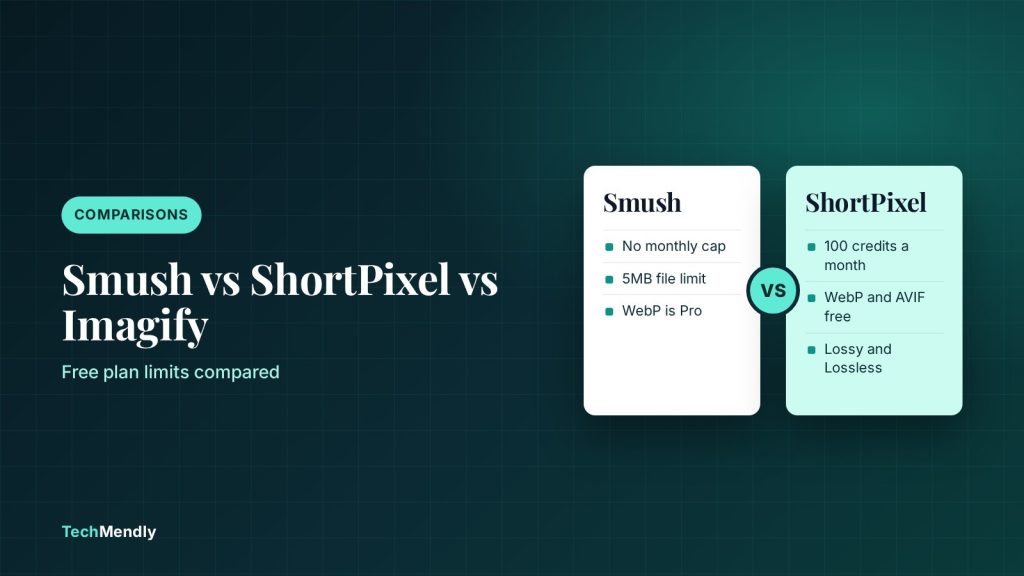
In the Smush vs ShortPixel vs Imagify choice, pick Smush if you want a free plugin with no monthly cap and your images are under 5MB. Pick ShortPixel if you want WebP and AVIF conversion on the free plan with 100 credits a month. Pick Imagify if you want its free 20MB monthly quota (about 200 images) and WebP and AVIF output without paying.
Large images are one of the most common reasons a WordPress page feels slow, and all three of these plugins fix it by compressing files when you upload them. The catch is that the free plans are built very differently. One has a file size cap, one has a monthly credit count and one has a monthly data quota. If you pick on name alone, you can hit a wall in the middle of a bulk run.
This guide compares Smush vs ShortPixel vs Imagify using each vendor’s own plugin page and pricing page, checked in November 2026. We focus on the free versions, because that is what most small sites start with. If you run a store or a photo-heavy blog, read the limits section before you install anything.

Smush vs ShortPixel vs Imagify at a glance
Here is the short comparison. Every row comes from the plugin’s WordPress.org page or the vendor’s pricing page.
| Feature | Smush (free) | ShortPixel (free) | Imagify (free) |
|---|---|---|---|
| Monthly limit | No monthly cap listed | 100 credits a month | 20MB a month, about 200 images |
| File size limit | Images over 5MB are skipped | Not stated on the plugin page | 2MB per image on the free plan |
| Lossy compression | Yes | Lossy, Glossy and Lossless | Smart Compression, optional lossless |
| WebP and AVIF | Pro only | Yes, converts to both | Yes, included in free |
| Original backup and restore | Backup enabled by default for new users (3.23.0 changelog) | Yes | Yes |
| Account needed | Hub connection for Super Compression | Free account for credits | Free account, no credit card |
| Cheapest paid option | Smush Pro from $50 a year for 1 site (WPMU DEV listing) | Unlimited monthly plan listed at $9.99; one-time packs from $19.99 | Growth and Infinite plans, prices change with sales |
Notice that the three free plans do not measure usage the same way. Smush counts files over 5MB as skipped, ShortPixel counts credits and Imagify counts megabytes. That is why a direct “which is best” answer depends on what your media library looks like.

Smush: free with a 5MB file limit
Smush is the one most WordPress users meet first, with over a million active installs on WordPress.org. The free version offers lossless and lossy compression, lazy load, and bulk smushing that is no longer capped at 50 images since version 4.0. The version we checked was 4.3.6.
The key limit is stated plainly on the plugin page: in the free version, images over 5MB are skipped. If you upload straight from a phone or a camera, that matters. Smush also compresses the resized versions by default, and compressing the full-size original needs Pro.
Automatic WebP and AVIF delivery is labelled Pro on the Smush plugin page. If serving next-gen formats is your main goal, the free Smush plan will not do it.
What Smush Pro adds
According to the WPMU DEV listing, Smush Pro adds next-gen formats, a global image CDN, automatic resizing and compression of files up to 256MB. WPMU DEV lists Pro plans from $50 a year for one site. The CDN bandwidth figures on that page were inconsistent between sections, so check the plan table before you buy for the CDN alone.
ShortPixel: 100 free credits and next-gen formats
ShortPixel gives you 100 free optimization credits per month. Its FAQ says that when you pass that quota, optimization pauses until the quota resets or you buy a plan. The version we checked was 6.6.1, released on 14 October 2026, and it is tested up to WordPress 7.1.4.
What stands out is how much the free plan includes. Lossy, Glossy and Lossless modes are all available, and it converts JPEG, PNG and GIF to WebP and AVIF. It also keeps backups of originals and offers restore, bulk optimization and WP-CLI support.
The trade-off is the credit count, since optimization stops when the 100 credits run out. ShortPixel’s pricing page lists per-thumbnail control as a feature, which lets you choose which image sizes get optimized.
ShortPixel paid options
The plugin page lists an unlimited monthly plan at $9.99 and one-time credit packages starting at $19.99. One-time credits never expire, while monthly credits expire after 30 days. That makes the one-time pack a sensible fit for a small site with occasional uploads.
Imagify: 20MB a month and a 2MB image cap
Imagify’s free quota is 20MB of images a month, which it describes as about 200 images, shared across all your sites. Imagify’s pricing page also shows a 2MB maximum upload per image on the free plan. The plugin page listed version 2.3.5 and over 900,000 active installs.
Imagify includes WebP and AVIF conversion in the free plan, and visitors get the best format their browser supports with a JPG or PNG fallback. It also resizes images to a maximum width of up to 2560px, backs up originals and optimizes new uploads automatically.
The 20MB quota counts the size of what you optimize, not the number of files. A few heavy photos can use it up faster than the “about 200 images” estimate suggests.
Imagify paid plans
The pricing page lists a Growth plan with 500MB a month and an Infinite plan with unlimited optimization. At the time we checked, those prices reflected a Black Friday sale that the page said ends on 27 November, so confirm the current price on the pricing page.
Which plugin fits which site?
Match the free plan’s limit to how you upload. This is the quickest way to avoid a half-finished bulk run.
Smush
Best for: blogs with small, web-sized images
- No monthly count to watch
- Needs Pro for WebP and AVIF
ShortPixel
Best for: free WebP and AVIF with light uploads
- 100 credits a month
- Lossy, Glossy and Lossless
Imagify
Best for: small sites that want next-gen formats
- About 200 images a month
- 2MB cap per image on free
If you run WooCommerce with hundreds of product photos, none of the free plans covers a full catalogue in one month. Plan to bulk optimize in batches, or move to a paid plan once. If your host already runs a caching layer, pair image compression with a cache for the best result. Our guide to the best free WordPress caching plugin and the LiteSpeed Cache vs WP Rocket comparison cover that side.

How to switch or set up safely
Do not run two image optimizers at once. They can compress the same file twice and make quality worse. Use these steps to switch cleanly.
- Back up your site and your uploads folder before you start. Our UpdraftPlus vs Duplicator comparison helps you choose a backup plugin.
- Deactivate the old optimizer. Do not delete it until you confirm the backups of originals are still in place.
- Install the new plugin from Plugins > Add New and connect your account or API key if it asks.
- Set the compression level and tick the option to optimize new uploads automatically.
- Run a bulk optimization on a small batch first and compare a few images side by side.
- Clear your page cache and CDN cache, then recheck the page.
Resize oversized photos before upload. A 6000px camera image does not need to be on a blog page, and a smaller original uses less of any quota.
Common mistakes to avoid
The most common mistake is expecting the free plan to cover a whole media library on day one. The second is turning on aggressive lossy compression for product photos without checking them. The third is leaving two optimizers active. If your dashboard also feels sluggish after changes, our WordPress admin slow guide shows how to trace it.
After optimizing, test one heavy page and confirm that images still look right on a phone. Compression saves bytes, but a washed-out hero image costs you trust.
Choose Smush for no monthly count and small images, ShortPixel for free WebP and AVIF with 100 credits a month, or Imagify for a 20MB monthly quota with next-gen formats. Check your image sizes first, because the 5MB, 100-credit and 20MB limits decide which free plan works.
Frequently asked questions
Which is better, Smush or ShortPixel?
It depends on your limits. Smush has no monthly count but skips images over 5MB and keeps WebP and AVIF in Pro. ShortPixel gives 100 free credits a month and includes WebP and AVIF conversion.
Is Imagify free?
Yes. Imagify has a free plan with a 20MB monthly quota, about 200 images, and WebP and AVIF conversion is included. Registration needs no credit card.
Does Smush free support WebP?
The Smush plugin page labels automatic WebP and AVIF delivery as a Pro feature, so the free version does not provide it.
What happens when I use all my ShortPixel credits?
ShortPixel says optimization pauses until the quota resets or you buy a plan.
Can I use two image optimization plugins together?
It is better not to. Two plugins can compress the same file twice and reduce quality. Use one and deactivate the other.
Sources: Smush on WordPress.org; ShortPixel on WordPress.org; Imagify on WordPress.org; Imagify pricing; ShortPixel pricing; WPMU DEV Smush Pro. Checked November 2026.
More in Comparisons
Turnstile vs reCAPTCHA for Contact Form 7: Which to Use?
Turnstile vs reCAPTCHA for Contact Form 7: compare setup, free limits and costs, then follow the steps to switch. See which one fits your WordPress site.
UpdraftPlus vs Duplicator: Which Free Backup Plugin Wins?
UpdraftPlus vs Duplicator: compare the free versions on scheduling, cloud storage, restores and migration, plus Pro prices, and pick the right backup plugin.
LiteSpeed Cache vs WP Rocket: Which Should You Use?
LiteSpeed Cache is free but needs a LiteSpeed server for page caching. WP Rocket is paid and works on any host. See which one fits your site best.