
Google released the September 2026 spam update on 24 September 2026 at 09:15 PDT. It applies to all sites and all languages worldwide, and Google said the rollout could take up to two weeks. Google has not said which spam tactics it targets, so if your traffic dipped after 24 September, check for hacked pages, comment and registration spam, and thin auto-generated pages before you change anything else.
The Google September 2026 spam update started rolling out on Thursday, 24 September 2026. If you run a business site, a WooCommerce store or a blog, you may be watching Search Console and wondering whether a dip in clicks is this update, normal noise, or something else entirely.
This is Google’s fourth spam update of 2026, after March, June and August. As usual, the announcement was one sentence long and named no specific targets. That leaves site owners guessing, and guessing leads to panic edits that make things worse.
So here is what we know for certain, how to tell whether your site was actually affected, and the practical checks we run on small WordPress sites when a spam update lands.
What Google announced about the September 2026 spam update
The full official statement on the Google Search Status Dashboard reads: “Released the September 2026 spam update, which applies globally and to all languages. The rollout may take up to two weeks to complete.”
That is all Google published. There was no blog post listing new policies and no named target such as link spam or site reputation abuse. When we checked the dashboard on 4 October 2026, the incident had no completion time posted, so treat the update as still rolling out until Google marks it complete.
| 2026 spam update | Started | Rollout time (per Google’s dashboard) |
|---|---|---|
| March 2026 spam update | 24 March 2026 | 19 hours, 30 minutes |
| June 2026 spam update | 24 June 2026 | 2 days, 1 hour |
| August 2026 spam update | 18 August 2026 | 2 days, 16 hours |
| September 2026 spam update | 24 September 2026, 09:15 PDT | “Up to two weeks”; no end time posted as of 4 October 2026 |
The earlier 2026 spam updates each finished in under three days. A window of up to two weeks is longer than any of them, though Google’s estimates are a ceiling, not a promise.
A spam update is not a core update. Core updates reassess overall quality and relevance. Spam updates improve Google’s automated systems that detect content breaking its spam policies. If your site follows those policies, a spam update should not hurt it directly, although rankings can shift when competitors drop out.
Who is affected (and who probably isn’t)
Spam updates hit sites that break the spam policies, whether the owner meant to or not. The “not meant to” part matters for small sites. Most small business sites we look after never set out to spam anyone. The trouble usually comes from something that happened to them:
- A hack nobody noticed. Injected pages selling pills, casino links or fake designer goods, often hidden from the owner when logged in.
- Open comments or registrations. Thousands of spam comments or user profile pages stuffed with links.
- Pages built at scale with no real value. Hundreds of near-identical “service in [city]” pages, or auto-generated posts published in bulk.
- Old link-building deals. Paid links or link exchanges from years ago.
If none of these apply and your content is written for real visitors, you most likely don’t need to do anything except keep an eye on your data.
How to check if the spam update hit your site
Before you edit a single page, confirm there is a real drop and that it lines up with the update. Google’s own guide to debugging traffic drops lists algorithmic updates as just one of several causes, alongside technical problems, security issues, seasonality and site migrations.
- Open Google Search Console and go to Performance > Search results.
- Click the date filter, open the Compare tab, and compare the days since 24 September with the same number of days just before it. Remember Search Console data lags a couple of days.
- Switch to the Pages tab. Is the drop spread across the whole site, or limited to a few URLs or one section?
- Set the date filter to Last 16 months to rule out a seasonal dip you see every autumn.
- Check Security & Manual actions > Manual actions and Security issues. Both should say no issues detected.
- Check Indexing > Pages for a sudden jump in indexed URLs you don’t recognise. That is a classic sign of injected spam pages.
Small sites see big percentage swings from tiny numbers. Dropping from 40 clicks a day to 30 can be normal variation. Look for a clear step change starting on or after 24 September, not a gradual slide that began weeks earlier.
Spam update vs manual action: what’s the difference?
A spam update is automated. You get no message, no report and no “request review” button. A manual action is different: a human reviewer at Google has flagged your site, and it appears in the Manual actions report with a description of the problem. You can fix it and select Request Review.
| Spam update (algorithmic) | Manual action | |
|---|---|---|
| Who decides | Google’s automated systems | A human reviewer |
| Shown in Search Console | No | Yes, in the Manual actions report |
| Can you request a review? | No | Yes, after fixing the issue |
| How recovery works | Systems learn over months that the site complies | Reconsideration review, usually days to weeks |
Five things to check on a WordPress site right now
These checks take under an hour on a typical small site, and they’re worth doing even if your traffic looks fine.
1. Look for hacked or injected pages
Search Google for site:yourdomain.com and scroll through the results. Then try site:yourdomain.com viagra, site:yourdomain.com casino or site:yourdomain.com replica. Spam titles or foreign-language pages you never wrote mean you have hacked content. Google’s Security issues report lists types like content injection and URL injection, but it does not catch everything, so the manual search is worth the two minutes.
If you find injected pages, clean the site first, then update everything. Our guide to the WordPress 7.1.2 security update covers how to confirm core is patched and what to look for in your logs if you updated late.
2. Lock down comments and user registration
In WordPress, go to Settings > Discussion. If you don’t need comments, untick Allow people to post comments on new articles. If you do, tick Comment author must have a previously approved comment and set Hold a comment in the queue if it contains to 1 or 2 links. Then go to Settings > General and make sure Membership > Anyone can register is unticked unless you run a store or membership site that needs it.
Next, open Comments and Users and bin anything spammy that was already approved. Google’s policies treat user-generated spam as the site’s problem even when visitors posted it.
3. Audit thin pages made in bulk
Look at Posts and Pages sorted by date. Did someone publish 200 location pages in an afternoon, or import a batch of AI-written posts that nobody edited? Google’s scaled content abuse policy covers pages produced in bulk mainly to manipulate rankings with little value for readers, whether they were written by AI, scraped or typed by hand. Merge, improve or delete (and redirect) pages that add nothing.
4. Check outbound links in your footer and old posts
Hidden or paid links are a common leftover from cheap themes and old SEO deals. View the source of your homepage and search for display:none near links, then skim the footer and sidebar widgets for links you don’t recognise. Google notes that after a link spam update, cleaning up “might not generate an improvement”, because the systems may already ignore those links. Remove them anyway.
5. Make sure Google sees what visitors see
Cloaking and sneaky redirects are spam policies, and some malware only shows spam to Googlebot or to mobile visitors coming from search. Use the URL Inspection tool in Search Console and click Test live URL, then View tested page. The HTML should match what you see in your browser. If you use Cloudflare, also check that no page rules or redirect rules send traffic somewhere unexpected. Our Cloudflare redirect loop guide walks through where those rules live.
Spam update recovery: what actually helps
Google’s spam updates documentation is blunt: “Making changes may help a site improve if our automated systems learn over a period of months that the site complies with our spam policies.” Months, not days.
Worth doing
- Cleaning hacked content and closing the hole that let it in
- Removing or improving thin pages made at scale
- Deleting spam comments and fake user profiles
- Removing paid or hidden links
Not worth doing
- Rewriting every page during the rollout
- Changing themes or URLs in a panic
- Buying “recovery” link packages
- Filing a review request when there is no manual action
Avoid big site changes while the update is still rolling out. If you change URLs or templates now, you won’t be able to tell whether a later drop or recovery came from the update or from your own edits.
Once your fixes are live, keep your sitemap up to date so Google recrawls the cleaned pages. If new or changed posts are not showing up there, see our fix for a Rank Math sitemap not updating.
The Google September 2026 spam update began on 24 September 2026 and may take up to two weeks. Most honest small sites have nothing to fix. If you saw a clear drop starting on or after that date, check for hacked pages, comment and registration spam, bulk thin pages and hidden links, fix what you find, then wait. Recovery from a spam update happens over months as Google’s systems recrawl your site.
Frequently asked questions
When did the Google September 2026 spam update start?
Google posted it on the Search Status Dashboard on 24 September 2026 at 09:15 PDT. Google said the rollout may take up to two weeks.
Has the September 2026 spam update finished rolling out?
As of 4 October 2026, the dashboard had not posted a completion time. Google adds one to the incident page when the rollout ends.
How do I know if a spam update hit my site?
Compare Search Console clicks and impressions for the days after 24 September with the same number of days before it. A sharp, site-wide drop starting in that window is the main sign. There is no notification for algorithmic spam updates, only for manual actions.
How long does spam update recovery take?
Google says sites may improve once its automated systems learn “over a period of months” that the site follows its spam policies. There is no review request for algorithmic updates.
What did the September 2026 spam update target?
Google did not say. Its announcement only covered the start date, global scope and rollout time. Treat any article claiming specific targets as speculation unless it quotes Google.
Sources: Google Search Status Dashboard: September 2026 spam update; Google Search Status Dashboard: ranking incident history; Google Search Central: spam updates; Google Search Central: spam policies; Google Search Central: debugging traffic drops; Search Console Help: Manual actions report; Search Console Help: Security issues report; WordPress.org: Discussion settings. Checked October 2026.
More in Software & Tools
PHP2Shell Vulnerability: How to Patch Your Site Now
Two critical PHP flaws were fixed on 21 October 2026. See which versions are patched, how to check your site, and what Cloudflare's free protection does not cover.
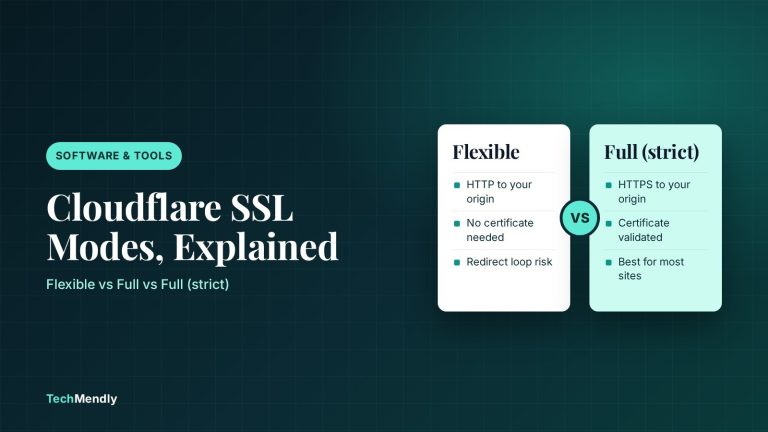
Cloudflare SSL Modes Explained: Which One to Use
Cloudflare SSL modes control the link between Cloudflare and your server. See what Flexible, Full and Full (strict) do and which one fits your host.

Shopify Automated Policies: What Changed and What to Check
Shopify can now write and update your store policies for you. See what changed on 8 October 2026, who it affects, and what to check before you switch it on.