
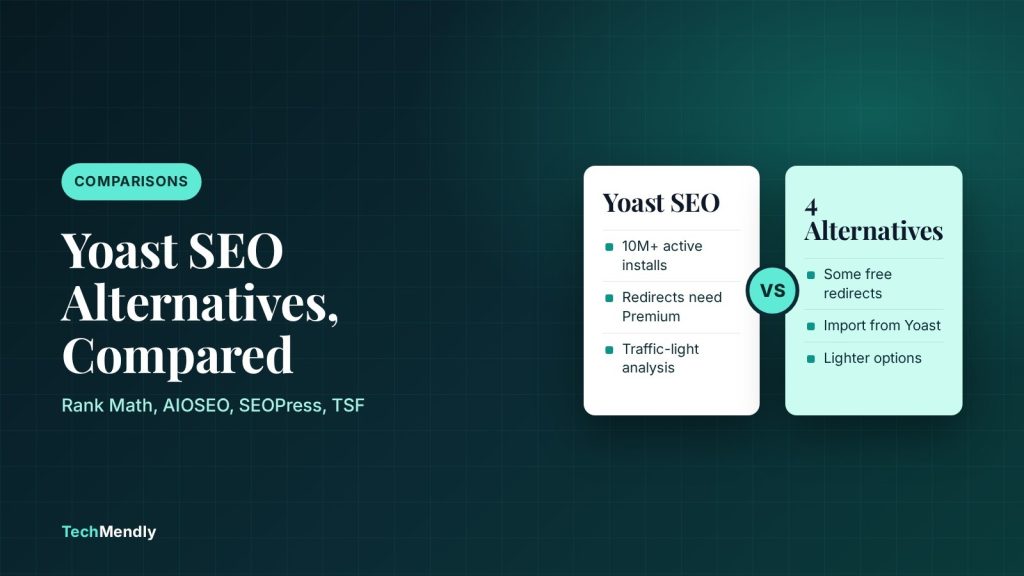
The best Yoast SEO alternatives for most WordPress sites are Rank Math (most free features), SEOPress (lean, with post-level redirects free) and The SEO Framework (no ads, no nags). All three can import settings from Yoast. All in One SEO (AIOSEO) is a fair fourth pick, but it keeps redirects and WooCommerce SEO in Pro.
Yoast is the default choice for a reason: more than 10 million sites run it. But it is not the only option, and some of its useful extras, like the redirect manager, sit behind Yoast Premium. If you searched for Yoast SEO alternatives because of that, or because the dashboard feels busy, this guide compares four free plugins on what is included, what is locked, and how painful it is to switch.
We checked each plugin’s WordPress.org listing and, where available, its pricing page in October 2026. Version numbers and install counts change, so treat them as a snapshot. This site itself runs Rank Math, and we say where that colours the advice. If you want a head-to-head on the two biggest names, our Rank Math vs Yoast SEO comparison goes deeper.
What Yoast does well, and where people leave
The free Yoast SEO plugin (version 28.8 at the time of writing) gives you the traffic-light content analysis, readability checks, schema output, XML sitemaps, a bulk editor, breadcrumbs and an LLMs.txt tool. That is plenty for a small blog.
The usual reasons to look elsewhere are about what is not free. According to Yoast’s own plugin page, the redirect manager, internal linking suggestions, IndexNow, extra keyphrases (Premium allows up to 5) and AI tools are Premium features. If you only want to redirect a few old URLs without paying, another plugin may suit you better.
None of this makes Yoast a bad plugin. If your site is fine, switching carries a small risk and no guaranteed ranking gain. Change plugins for a feature you need, not because a list told you to.
The 4 best Yoast SEO alternatives at a glance
| Plugin | Active installs (WordPress.org) | Best for | Main catch |
|---|---|---|---|
| Rank Math SEO | 4+ million | Most free features in one plugin | Big settings screen; rank tracking and advanced schema are Pro |
| All in One SEO (AIOSEO) | 2+ million | Beginners who like guided setup | Redirects, local SEO and WooCommerce SEO are Pro |
| SEOPress | 300,000+ | A lean plugin with post-level redirects free | Schema editor, breadcrumbs and 404 monitoring are Pro |
| The SEO Framework | 200,000+ | Fast, quiet, no ads or upsell nags | Light on keyword guidance; the Focus extension is premium |
Rank Math: the most free features
Rank Math lists a setup wizard with importers for other SEO plugins, 16+ schema types, a redirection manager, a 404 monitor, breadcrumbs, internal link suggestions, WooCommerce support and 30+ SEO tests in the plugin you download for free. It also offers Content AI that you can start using for free. It is the closest like-for-like Yoast replacement, and the free tier does more than Yoast’s free tier on redirects and 404 tracking.
Pro adds rank tracking and analytics, AI Link Genius, an advanced schema builder and extra WooCommerce SEO fields. If you hit sitemap trouble after switching, see our fix for a Rank Math sitemap not updating.
Pros
- Redirects and 404 monitor included free
- Importers for other SEO plugins in the setup wizard
- Large user base and active development
Cons
- Many modules, so the dashboard can feel heavy
- Some headline features are Pro
All in One SEO (AIOSEO): guided and beginner friendly
AIOSEO’s free version (Lite) covers SEO titles and meta descriptions, XML sitemaps, Google Search Console integration and its TruSEO content analysis. Its listing places the redirection manager, local SEO, keyword rank tracking, automatic internal linking and WooCommerce SEO in Pro.
That makes AIOSEO a fair pick if you want a setup wizard and a familiar analysis panel and you do not need free redirects. Its pricing page shows paid plans from one site up to many, but the figures and currencies on the page were inconsistent when we checked, so confirm the current price before you budget.
SEOPress: lean, with useful free extras
SEOPress (version 10.3, around 300,000 installs) includes content analysis with unlimited target keywords, titles and meta descriptions with variables, Open Graph and X cards, XML and HTML sitemaps, an image sitemap, GA4 tracking, post-level redirections, and one-click migration from other SEO plugins.
Pro adds the schema editor, breadcrumbs, 404 monitoring, a broader redirect manager, WooCommerce SEO and AI metadata generation. SEOPress’s pricing page lists Pro at $49 a year for 1 site, $59 for 5 sites and $149 for unlimited sites, and says the purchase price is also the renewal price. That is a clear structure, but the WordPress.org page still shows upgrade prompts, so it is not entirely upsell-free.
The SEO Framework: no ads, no nags
The SEO Framework (version 5.2.0) fills in titles, descriptions, canonical and social tags automatically, and includes a sitemap, robots.txt handling, Schema.org JSON-LD and breadcrumbs. Its listing says the plugin has no ads, tracking or nags. The core plugin has no premium version, though the free Extension Manager offers extensions, and the Focus extension (keyword and synonym guidance) is part of its premium suite.
Choose it if you find Yoast’s traffic lights distracting and prefer a plugin that sets sensible defaults and stays out of the way. If you rely on keyword scoring while writing, it will feel thin.
Which free plugin includes redirects and key extras?
Because redirects are a common reason to leave Yoast, here is how the free tiers compare on features people ask about most. This reflects each plugin’s WordPress.org listing as of October 2026.
| Feature | Yoast (free) | Rank Math (free) | AIOSEO (Lite) | SEOPress (free) | The SEO Framework |
|---|---|---|---|---|---|
| Redirect manager | Premium | Included | Pro | Post-level redirects; advanced manager is Pro | Not listed |
| 404 monitor | Not listed | Included | Not listed as free | Pro | Not listed |
| XML sitemap | Yes | Yes | Yes | Yes | Yes |
| Breadcrumbs | Yes (block) | Yes | Not listed as free | Pro | Yes |
| WooCommerce SEO | Separate extension | Basic support free; product extras Pro | Pro | Pro | Integrations available |
“Not listed” means the plugin’s page does not claim the feature, not that it is impossible. Check the plugin’s settings screen before you decide.
How to switch from Yoast without losing your SEO data
Every plugin above offers a way to import Yoast data: Rank Math has importers in its setup wizard, SEOPress lists one-click migration, and The SEO Framework mentions migration support. The safe order is the same for all of them.
- Take a full backup of your site and database, and test on a staging copy if your host offers one.
- Note your current sitemap URL and any custom titles or meta descriptions you rely on.
- Install the new plugin but keep Yoast active, then run the import from the setup wizard.
- Deactivate Yoast, then check a few posts to confirm titles, descriptions and robots settings carried over.
- Open the new sitemap, submit it in Google Search Console, and confirm the old sitemap URL redirects or is removed.
- Test a few pages with the methods in our guide on how to check if Googlebot can crawl a page.
Never run two SEO plugins at the same time on a live site. They both output meta tags, which can create duplicate titles and canonical tags.
Mistakes to avoid when changing SEO plugins
Most problems after a switch come from a few repeat mistakes, not from the new plugin itself.
Skipping the post-import spot check
An import copies what it can map, but custom fields and unusual settings can be left behind. Open your top five pages in the editor and compare the title, description and canonical against the old values. Do this before you delete Yoast, so you can still look at its data.
Forgetting noindex and robots settings
Archives, tag pages and attachment pages can have different indexing rules in each plugin. After switching, view the page source on a tag page and a category page and confirm the robots meta tag is what you intended. Search Console’s page indexing report will show any sudden jump in excluded pages within a few days.
Leaving the old sitemap in Search Console
Different plugins use different sitemap URLs. Submit the new one, and remove the stale one once the new sitemap shows as processed. If a cache serves the old file, purge it, as we explain in our guide to clearing caches in the right order.
Buying Pro before you need it
Run the free version for a few weeks first. Most small sites never use rank tracking or advanced schema, and the free tiers above already cover titles, descriptions, sitemaps and basic schema.
Which Yoast alternative should you pick?
Rank Math
Best overall free replacement
- Redirects and 404 monitor free
- Easy import from Yoast
SEOPress
Best lean option
- Post-level redirects free
- Clear Pro pricing
The SEO Framework
Best for a quiet dashboard
- No ads or nags
- Sensible defaults
If you are unsure, pick Rank Math. If you want less to configure, pick The SEO Framework. If you like AIOSEO’s wizard, its free version is fine as long as you do not need free redirects.
Rank Math is the best all-round Yoast alternative on a free budget. SEOPress suits a leaner setup, The SEO Framework suits a quiet one, and AIOSEO suits guided setups. Back up first, import settings, run only one plugin at a time, and resubmit your sitemap afterwards.
Frequently asked questions
What is the best free alternative to Yoast SEO?
For most sites it is Rank Math, because its free version includes a redirect manager, 404 monitor, breadcrumbs and importers for other SEO plugins. SEOPress and The SEO Framework are good if you want something lighter.
Can I switch from Yoast without losing rankings?
Switching does not guarantee a ranking change either way. If titles, descriptions, canonicals and sitemap URLs carry over correctly, Google sees the same signals. Back up, import, then check a sample of pages and resubmit the sitemap.
Is Yoast SEO free?
Yes, there is a free version with content analysis, schema, sitemaps and more. Features like the redirect manager, internal linking suggestions and extra keyphrases need Yoast Premium.
Do I need an SEO plugin at all?
WordPress outputs basic titles and sitemaps by itself, but an SEO plugin makes custom titles, descriptions, canonicals and schema much easier to manage per page.
Sources: Yoast SEO on WordPress.org; Rank Math SEO on WordPress.org; All in One SEO on WordPress.org; SEOPress on WordPress.org; SEOPress pricing; The SEO Framework on WordPress.org. Checked October 2026.
More in Comparisons

Smush vs ShortPixel vs Imagify: Which Free Plan Wins?
Smush vs ShortPixel vs Imagify compared on free limits, WebP and AVIF, file size caps and Pro prices. Pick the right image plugin for your WordPress site.

Turnstile vs reCAPTCHA for Contact Form 7: Which to Use?
Turnstile vs reCAPTCHA for Contact Form 7: compare setup, free limits and costs, then follow the steps to switch. See which one fits your WordPress site.
UpdraftPlus vs Duplicator: Which Free Backup Plugin Wins?
UpdraftPlus vs Duplicator: compare the free versions on scheduling, cloud storage, restores and migration, plus Pro prices, and pick the right backup plugin.