
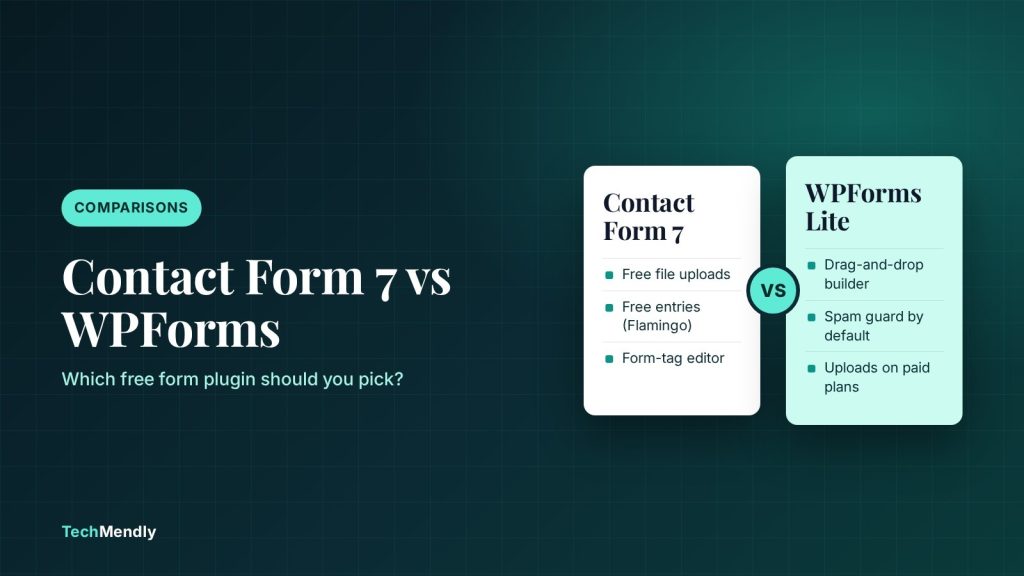
In the Contact Form 7 vs WPForms choice, pick Contact Form 7 if you want a free plugin with file uploads and no paid tier, and you’re happy writing a little form markup. Pick WPForms if the person editing forms needs a drag-and-drop builder, or if you will pay for conditional logic, entries and payments. Neither free version keeps a browsable list of submissions in your dashboard, so plan for that either way.
Contact forms are the most common plugin we install on client sites, and the same question comes up every time: Contact Form 7 or WPForms? Both are free to start, both are maintained, and both will send you an email when someone fills in a form.
The differences show up later. Usually when a client asks “where are last month’s enquiries?”, wants a file upload field, or tries to take a payment. Many of the comparisons you’ll find for this query are published by WPForms itself, which is fair enough, but it means a few trade-offs get skipped. This guide puts both free versions side by side, checked against each plugin’s own documentation in October 2026.
Contact Form 7 vs WPForms at a glance
Here’s how the two compare on the things that matter after launch day. Version numbers and install counts are from each plugin’s WordPress.org page at the time of writing.
| Feature | Contact Form 7 (free) | WPForms Lite (free) |
|---|---|---|
| Current version | 6.1.7 | 2.0.2.1 |
| Active installs | 10+ million | 5+ million |
| Minimum requirements | WordPress 6.7, PHP 7.4 | WordPress 5.5, PHP 7.2 |
| How you build forms | Text editor with form-tags like [email* your-email] |
Drag-and-drop builder with templates |
| File upload fields | Yes, free (1 MB default limit) | No, paid plans only |
| Conditional logic | Not built in | No, paid plans only |
| Submissions saved in WordPress | No (free Flamingo add-on does this) | No (optional Lite Connect backup to WPForms servers) |
| Spam protection | reCAPTCHA v3, Cloudflare Turnstile, Akismet, quiz | Built-in anti-spam, reCAPTCHA, hCaptcha, Turnstile, custom CAPTCHA |
| Payments | Not built in | Stripe, with a 3% WPForms fee per transaction |
| Paid version | None, fully free | Yes, four yearly plans |
Building forms: form-tags vs drag and drop
This is the difference you’ll feel first.
Contact Form 7
Contact Form 7 gives you a plain text editor under the Contact menu. Each field is a form-tag, for example [text* your-name] or [file your-file], and the buttons above the editor generate the tags for you. You lay the form out with HTML if you want columns or labels in a particular place.
For a developer, this is quick and predictable. For a client who wants to add a “Company name” field on a Friday afternoon, it’s intimidating, and one missing bracket in a tag is enough to break the field.
WPForms Lite
WPForms opens a full-screen builder where you drag fields in, click to edit labels, and see the form as you build it. It starts from templates, so a basic contact form takes a minute or two. If someone other than you will maintain the forms, this is the strongest argument for WPForms.
If you build the site and the client only ever reads the emails, Contact Form 7 is fine. Leave a short note on which line to copy for a new field. If they’d rather never see markup, WPForms is the kinder choice.
Does Contact Form 7 store submissions? (and does WPForms Lite?)
This is the part most comparisons gloss over, and it’s the one that causes real trouble.
Contact Form 7 doesn’t save messages at all. Its own documentation says: “Contact Form 7 doesn’t store submitted messages anywhere.” If your email fails, the enquiry is gone. The fix is free: install Flamingo, from the same developer, which saves every submission to your database and adds an Inbound Messages menu.
WPForms Lite doesn’t keep entries in your dashboard either. It offers Lite Connect, which you turn on at WPForms > Settings > General > Enable Entry Backups. That backs entries up to WPForms’ own servers, not your database. You can see how many entries were backed up, but you can’t read them until you buy a licence, at which point they are restored to your dashboard. WPForms also notes that backups only start from the day you enable it and that backed-up entries expire after one year.
Whichever plugin you choose, make sure every enquiry lands somewhere other than an inbox. With Contact Form 7, install Flamingo on day one. With WPForms Lite, either enable Lite Connect or accept that email is your only copy.
And since both plugins send through WordPress’s normal mail function, neither one fixes deliverability on its own. If messages aren’t arriving, the cause is almost always the server’s mail setup, which we cover in our guide to fixing WordPress contact form emails with SMTP.
Spam protection and email setup
Both plugins handle spam well once configured. The difference is what’s on by default.
- Contact Form 7 supports reCAPTCHA v3, Cloudflare Turnstile and Akismet filtering. reCAPTCHA and Turnstile are set up under Contact > Integration by pasting in the site and secret keys. It also has a simple quiz tag for a question-and-answer check.
- WPForms Lite has built-in anti-spam protection switched on by default, plus options for Google reCAPTCHA (v2 checkbox, invisible v2 and v3), hCaptcha, Cloudflare Turnstile and a custom question CAPTCHA.
If your site already runs through Cloudflare, Turnstile is a sensible choice in either plugin, since you already have a Cloudflare account to create the keys in. Just make sure your mail records are set correctly at the same time; this guide on email problems after moving DNS to Cloudflare covers the records that commonly break.
One email setting to get right
In Contact Form 7’s Mail tab, the “From” field should use an address on your own domain. The documentation is direct about it: “This field value should be an email address that belongs to the same domain as the web site.” Put the visitor’s address in Additional headers as Reply-To: [your-email] instead. A From address like visitor@gmail.com sent from your server is a fast route to the spam folder.
File uploads, conditional logic and payments
This is where the “free” in each plugin means very different things.
- File uploads. Contact Form 7 includes them free. Add a
[file your-file limit:5mb filetypes:pdf|jpg]tag, then put[your-file]in the File attachments field of the Mail tab. The default size limit is 1 MB unless you setlimit:. In WPForms, file uploads start on the paid Basic plan. - Conditional logic (show a field only if another answer is picked). Not built into Contact Form 7; you’d need a third-party add-on. In WPForms it’s included from the Basic plan, not in Lite.
- Payments. Contact Form 7 has no payment fields. WPForms Lite can take Stripe payments, but WPForms charges a 3% fee per transaction on top of Stripe’s normal rate. That fee goes away on the Pro plan and above.
- Multiple emails. Contact Form 7 includes Mail (2), a second email template that’s often used as an autoresponder to the visitor. Useful, and free.
If a client needs file uploads and nothing else fancy, Contact Form 7 plus Flamingo covers it without a licence. If they need uploads plus conditional fields plus a nicer builder, a paid WPForms plan is usually less work than stacking add-ons.
WPForms pricing: what you’d pay to upgrade
Contact Form 7 has no paid version. WPForms sells four yearly plans. Prices below are from the WPForms pricing page in October 2026; the first-year price is a discount, and the regular price is what the plan is listed at.
| Plan | Sites | First year | Regular price | Notable additions |
|---|---|---|---|---|
| Basic | 1 | $49.50 | $99/year | Entries, conditional logic, file uploads |
| Plus | 3 | $99.50 | $199/year | Email marketing integrations (Mailchimp, Brevo and others) |
| Pro | 5 | $199.50 | $399/year | Payments with no WPForms fee, calculations, surveys, Zapier |
| Elite | Unlimited | $299.50 | $599/year | CRM integrations, webhooks, multisite |
Budget for the regular price, not the first-year discount. For a simple brochure site, $99 a year just to read submissions in the dashboard is hard to justify when Flamingo does that for free with Contact Form 7.
Which one should you pick?
Contact Form 7
Best for: developers and sites that want the most free features
- Free file uploads and Mail (2) autoresponder
- Free submission storage with Flamingo
- Turnstile, reCAPTCHA v3 and Akismet built in
- No paid tier to upgrade to
WPForms Lite
Best for: non-technical editors and sites likely to upgrade
- Drag-and-drop builder and templates
- Spam protection on by default
- Stripe payments (with a 3% fee in Lite)
- Clear upgrade path to entries and logic
Choose Contact Form 7 if
- You or your developer manage the forms
- You need file uploads without paying
- You want a plugin with no paid tier
Choose WPForms if
- A non-technical person will edit forms
- You’ll pay for conditional logic or entries
- You want payments, surveys or CRM links
Switching later
Changing plugins later is mostly a rebuild: you recreate the form, swap the shortcode or block on each page, and re-enter mail settings. Don’t assume old submissions will move across, so keep a copy of entries somewhere you control from day one. Before switching, test the new form end to end, including a submission with an attachment if you use them, and check the email arrives with the right Reply-To.
For most small business sites we build, Contact Form 7 vs WPForms comes down to who edits the forms. Contact Form 7 with Flamingo is the better free setup: uploads, storage and spam protection at no cost. WPForms is the better experience for non-technical editors, and the paid plans make sense once you need conditional logic, payments without the 3% fee, or marketing integrations.
Frequently asked questions
Is WPForms free?
WPForms Lite is free on WordPress.org and covers basic contact forms, email notifications and spam protection. Entries in your dashboard, file uploads and conditional logic start on the Basic plan, listed at $99 a year after the first-year discount.
Does Contact Form 7 store submissions?
No. Contact Form 7 only sends the email. Install the free Flamingo plugin from the same developer to save every submission in WordPress under Inbound Messages.
Is WPForms Lite better than Contact Form 7?
It’s easier to use, but not more capable for free. Contact Form 7 includes file uploads and, with Flamingo, saved submissions at no cost. WPForms Lite wins on its builder and default spam protection.
Can I see WPForms Lite entries without paying?
Not in full. With Lite Connect enabled, entries are backed up to WPForms’ servers and you can see the count, but you can only read them after upgrading to a paid licence. Backups start from the day you enable it.
Why are my form emails not arriving with either plugin?
Both rely on WordPress’s mail function, so the usual fix is SMTP and a From address on your own domain. Changing form plugin rarely fixes delivery by itself.
Sources: Contact Form 7 on WordPress.org; WPForms Lite on WordPress.org; Contact Form 7: Save submitted messages with Flamingo; Contact Form 7: Setting up mail; Contact Form 7: File uploading and attachment; Contact Form 7: Turnstile integration; Contact Form 7: reCAPTCHA; WPForms: Using Lite Connect; WPForms pricing; WPForms Stripe payments. Checked October 2026.
More in Comparisons

Best Free WordPress Caching Plugin: 4 Options Compared
Which free WordPress caching plugin should you install? LiteSpeed Cache, WP Super Cache, W3 Total Cache and WP Fastest Cache compared by host, features and limits.

Rank Math vs Yoast SEO: Which Free Plugin Should You Use?
Rank Math vs Yoast SEO: what each free plugin includes, what costs extra, how to switch, and which one suits your WordPress site best in 2026.
Elementor Free vs Pro: What You Actually Get for the Money
Elementor free vs Pro compared: what the free plugin covers, what each Pro plan adds, real 2026 prices, free workarounds, and which plan fits your site.